

Features
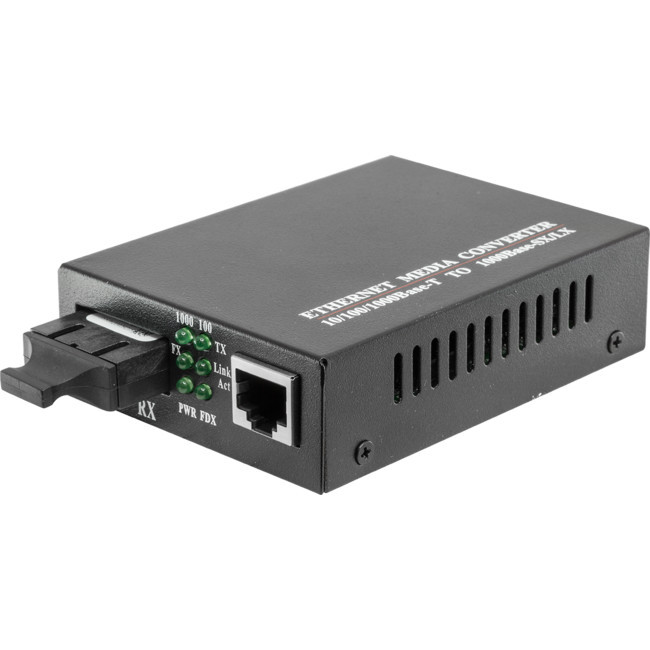
10/ 100M Fibre Media Converter translates the signal froma twist-pair 10/100Base-TX cable to 100Base-FX fibre optic cable, extends data transmission distance from 100m via copper cables to 20km by fibre optic cable, which supports LFP (Link Fault Pass-through) function & USB Powered.
Features
- 10/ 100Mbps auto-sensed, easily upgrade
- Full-duplex and half-duplex auto-sensed
- MDI/ MDI-X Auto Negotiation
- 10/ 100Mbps store-and-forward
- 100Mbps cut-through transmission
- Packet size up to 1518bytes
- Supporting VLAN/ VoIP/QoS packets
- Support flow control and reduce broadcast packets
- Supporting STP to form a redundant network
- Extremely low power consumption, low heat and stable performance
- Providing Desktop, Wall-mounted, Chassis and DIN-rail installation
- LFP (Link Fault Pass-through) Function
- External Power Adapter or USB power source
- DIP Switch to set configurations
- Supporting extra-long packets up to 1600 bytes
Applications
- Network Communication
- FTTH/ FTTB/ FTTx
- ISP Backhaul Networking
Available Fibre Media Converters
| Code | Model | Ports | Speed | Mode | Dual Fibre | Connector | Distance |
| 09051505 | FMC100SM20KSC | 1 | 100MB | SM | Y | SC | 20KM |
| 09051507 | FMC1GBSM20KSC | 1 | 1GB | SM | Y | SC | 20KM |
| 09051512 | FMC1GBMM550MSC2 | 1 | 1GB | MM | Y | SC | 550M |
| 09051550 | 4P100SM20KSC | 4 | 100MB | SM | Y | SC | 20KM |
| 09051552 | 4P1GBSM20KSC | 4 | 1GB | SM | Y | SC | 20KM |
| 09051522 | FMC1GBSFP | 1 | 1GB | Requires SFP Module, can be SM/MM and LC/SC etc. |

Specifications
| Standard | IEEE802.3 10Base-T Ethernet, IEEE802.3u 100Base-TX/ FX Fast Ethernet |
| Data Rate | Copper: 10/ 100M; Fibre: 155M |
| Flow control | Full duplex: flow control; Half duplex: back pressure |
| Copper Port | No.s of Copper Port: 1 Connector: RJ45 Connector Distance:100m |
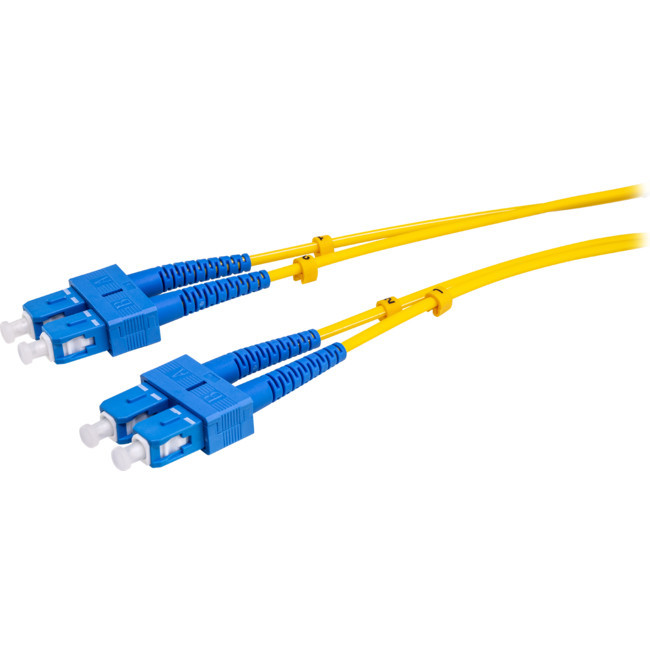
| Fiber Port | No.s of Fiber Port: 1 Connector: SC as default, FC/ST optional Wavelength: MMF 1310nm, SMF: 1310nm, Bi-di 1310/ 1550nm Distance: MMF 2km, SMF 20/ 40/ 80/ 100/ 120Km, Bi-di20/ 40/ 80/ 100km |
| LED indicators | PWR (power supply); FL/A (optical link/action) FDX (FX full duplex), TL/A (twisted pairs link/ action) 100 (100M transmission rate of twisted pairs), FX (100M transmission rate of optical fibre) |
| Power supply | Working power: DC5V 1A AC Power Supply: 100V~ AC 240V to 5V 1A Or DC Power Supply: -36~-72V to 5V1A External / Internal Power Supply Optional |
| Power consumption | <2W |
| Environment | Operating temperature : -10~55°C Storage Temperature: -40~85°C Relative Humidity: 5% to 95% non-condensing |
| Dimensions | External: 94mmx70mmx26mm Internal: 140mmx110mmx30mm |
| Gross Weight | External : 0.4kg Internal: 0.5kg |
FAQs
- What are the DIP switches on the side used for?

- Switch 1 - The default setting is (AUTO), which is maximum speed and diagnostic features (LFP)on. This is recommended for normal operation. Force is used when trouble shooting or for special applications.
- Switch 2 - Allows user to select a smaller bandwidth (10mpbs or 10BASE-T).
- Switch 3 - Fiber has a Send (Tx) and Receive (Rx) channel. When both are enabled, you have FDX orFull Duplex. Some add-on modules are only capable of sendingor receiving and not both. This is called half-duplex (HDX).You can override the FDX using this switch. Switch3 addresses the ethernet ports.
- Switch 4 - LFPT will indicate if a fault is present. Without LFPT you may not be aware of an issue. It's suggested to leave LFPT on, but when trouble shooting, LFPT can be set to off.
- Switch 5 - Half or full duplex settings for the fiber ports.